Automations are a key benefit of Sympl. An automation is an instruction to Sympl to perform a particular action when an event occurs. For example, triggers can be used to notify you and your guests via email or SMS when a new booking is received.
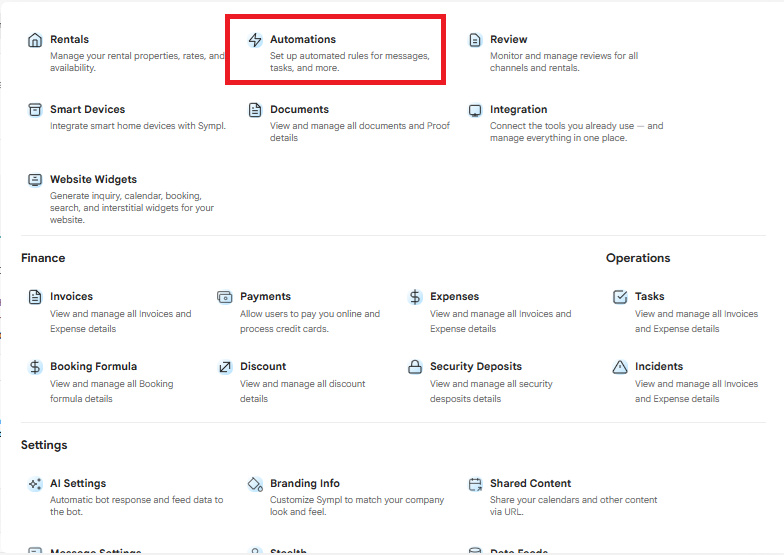
You can access the Automations module from top menu bar under More menu option.
The Autopilot Overview tab will show you all of the different types of Automations that can be created in Sympl using the Autopilot wizard by simply turning on the toggles.
This amazing feature takes the technical difficulties out of automations and let's you automate all aspects of your property management business easily. For more details on this, please see this help article.
Sympl support different types of Automations, that can also be manually set up using the +Auto Create button.
To view detailed information on each type of automation, please review the help articles below:
Automation Events
Below is a list of events which can be triggered with different automations:
Booking Cancelled: Booking cancelled via dashboard or connected API channel.
Booking Confirmed: Booking confirmed via dashboard or connected API channel.
Card Accepted: Credit Card info submitted to Stripe has been accepted.
Card Declined: Credit Card has been declined after Stripe attempts processing.
Card Deleted: Credit Card has been deleted from Stripe.
Card Rejected: Credit Card info submitted to Stripe has been rejected.
Channel Disabled: Inform your internal team that a channel connection is disabled, and that action needs to be taken by your team in Sympl.
Contract Rejected: A Signature Contract has been rejected.
Contract Sent: A Signature Contract has been sent.
Contract Signed: A Signature Contract has been signed.
Contract Viewed: A Signature Contract has been viewed.
Guest Created: A guest is created either via the dashboard, from a Sympl website or widget, or from a channel connection.
Guest Deleted: A guest is deleted from the dashboard.
Guest Message: A message is received from a guest.
Guest Updated: A guest is updated via the dashboard or a channel connection.
Inquiry Created: An inquiry is created via the dashboard, a Webready website or widget, or an API channel connection.
Invoice Cancelled: An Sympl invoice is marked as cancelled.
Invoice Created: An invoice is created on any Sympl inquiry.
Invoice Paid: The invoice status changes to paid on any Sympl invoice.